Résumé as code
Write your résumé in YAML. Get a typeset PDF.
yaml-resume is a tiny CLI and a JSON Resume plugin: author in readable YAML, validate against the official schema, and render through any JSON Resume theme.
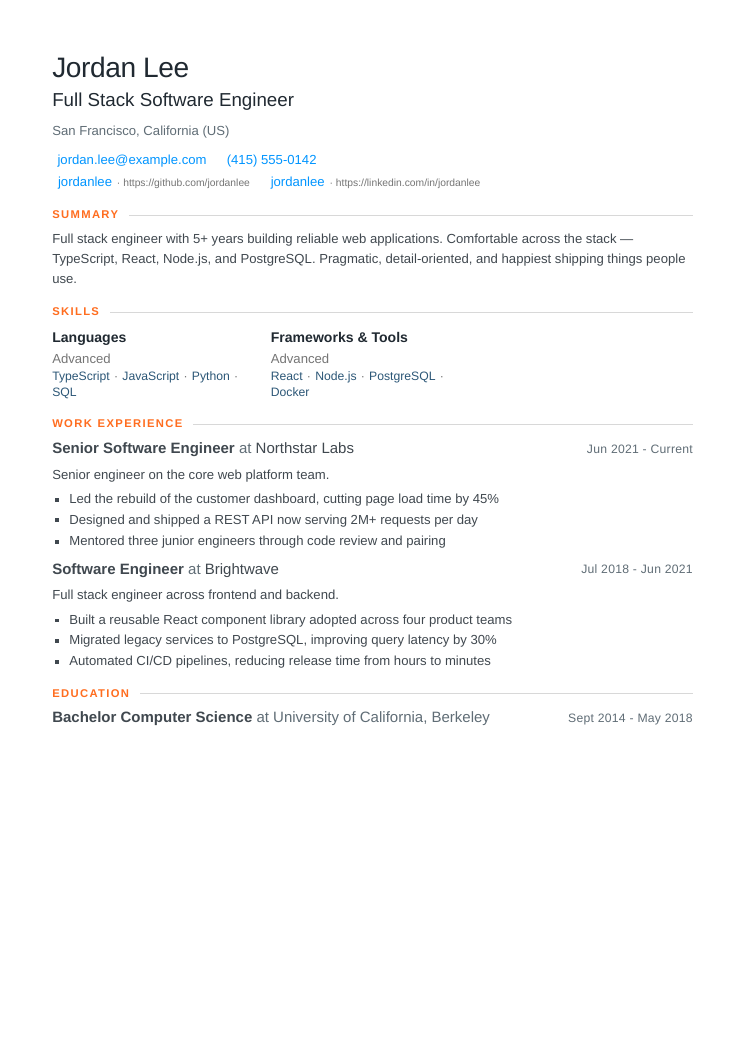
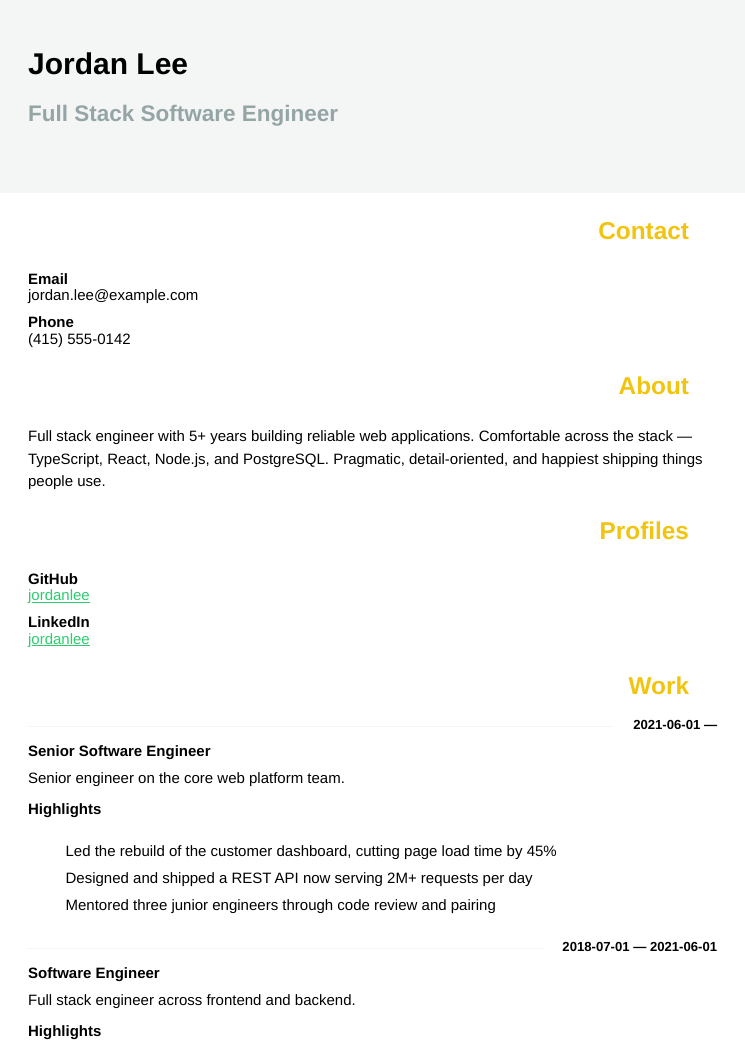
basics:
  name: Jordan Lee
  label: Full Stack Software Engineer
work:
  - name: Northstar Labs
    position: Senior Software Engineer
    startDate: 2021-06-01
Two ways to use it
The same engine, whichever way you think about it.
A zero-config résumé compiler
Install it, write a resume.yaml, run
yaml-resume build, and get a clean A4 PDF — no
LaTeX, no browser download, no config. There's a programmatic
API too, with TypeScript types.
YAML for the JSON Resume ecosystem
Under the hood it's 100%
JSON Resume: validated with
@jsonresume/schema (the same validator
resume-cli uses) and rendered with any
jsonresume-theme-*. Your YAML converts straight to
a standard resume.json.
Try it — right here
Author in YAML, JSON, TOML, or XML — or
import an existing résumé from a GitHub gist. It
validates against the official JSON Resume schema and renders live
with any theme. It all runs in your
browser — then export to a selectable-text PDF, PNG, HTML, or
Word .docx.
Microsoft Word
A clean, editable .docx built straight from
your résumé — easy to tweak and friendly to recruiters
and applicant-tracking systems.
A full résumé toolset
Built on the JSON Resume standard — and inspired by the best of its community projects. Everything runs in your browser, and most of it on the CLI too.
Guided wizard
New to YAML? Answer a few questions and we write the JSON Resume for you, previewed live. Open →
Import from GitHub
Pull an existing résumé from a gist, a GitHub
username, or any resume.json URL —
right into the editor.
Author in any format
Write in YAML, JSON, TOML, or XML and convert between them on the fly — all the same JSON Resume underneath.
130 themes
Preview live and switch instantly, from clean classics to a terminal view. Browse the gallery →
Export anywhere
A selectable-text, ATS-readable PDF, plus
PNG, HTML, and an editable
Word .docx.
Résumé review
Beyond schema validation: a completeness score and practical
tips. On the CLI too — yaml-resume lint.
What you get
Small surface, careful details.
Schema-validated
Every build checks your résumé against the official JSON Resume schema before rendering. Invalid input never reaches the PDF.
Any theme
Render through any jsonresume-theme-*. Switch looks
with one flag, or set a default in meta.theme.
One source, many formats
Compile a single résumé to a typeset A4 PDF, HTML, PNG, JSON,
LaTeX (.tex), or
Markdown — all from real JSON Resume packages.
Pipe-friendly
Read from stdin with - and write to
stdout with --stdout. Fits any
pipeline.
Typed API
import { build } from 'yaml-resume' — ships
TypeScript declarations generated from the source.
No browser download
Renders with a Chromium binary from npm, so it works in sandboxed and offline environments out of the box.
Quickstart
Node 20+. One install, four commands.
npm install -g yaml-resume

yaml-resume validate resume.yaml   # check against the JSON Resume schema
yaml-resume convert  resume.yaml   # → resume.json (add --stdout to pipe)
yaml-resume html     resume.yaml   # → resume.html (no browser needed)
yaml-resume build    resume.yaml   # → resume.json + resume.pdf
How it works
A short, linear pipeline — each stage independently tested.